

Built for the people who keep water flowing.
Daily operations. Useful Data. Everyone connected through the power of Super Intelligence.
Explore the platform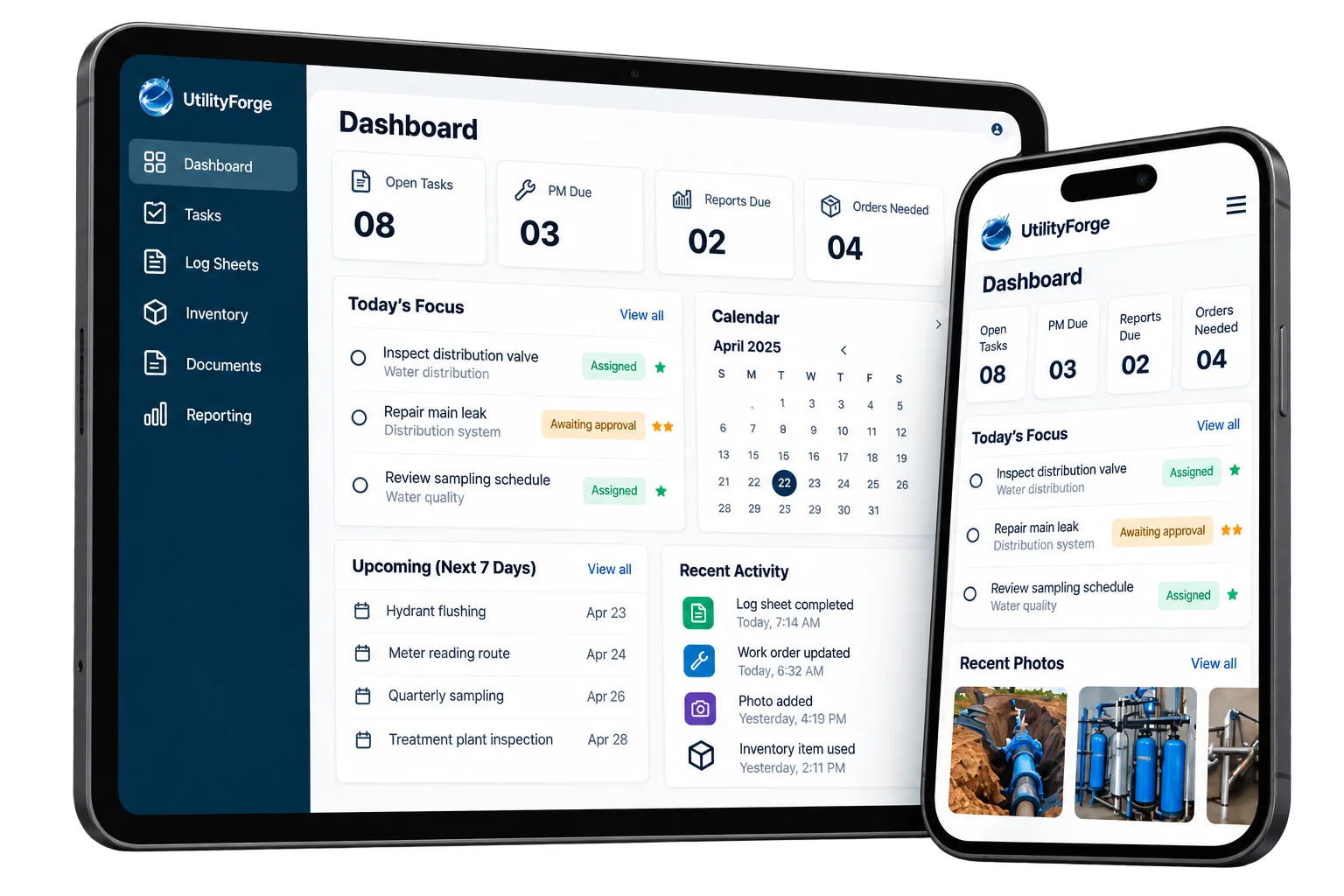
Managing Water Systems Shouldn’t Be Complicated.
UtilityForge was developed to address these everyday challenges.
Reduce the administrative burden
Minimize paperwork and manual data entry.
Simplify regulatory compliance
Organize required records and streamline reporting.
Connect your operational information
Keep data, records, and reports in one place.
Preserve knowledge and accountability
Maintain operational history and improve team coordination.
Your records.
A more useful
conversation.
Ask the questions that matter to your operation—in everyday language.
From the latest reading to a week of results, make your operational information easier to understand and use.
- Ask about your operational records
- Put readings in context
- Spend less time searching
Powerful on their own.
Better together.
Start with what your water system needs. Add capabilities as you grow.
01Roles & PermissionsGive your team access. Keep control in your hands.
Give your team access. Keep control in your hands.
Delegate with confidence. Give operators the access they need, equip supervisors to oversee the work, and keep administrative controls limited to authorized users. Manage access by role and module as your team grows.
02DashboardSet the tone for each day with a clear picture
Set the tone for each day with a clear picture
Every team member has their own workspace. Create and track compliance schedules, priorities, and assignments in one view. Keep requirements visible and help prevent missed deadlines.
03TasksWork orders. We call them tasks.
Work orders. We call them tasks.
Full operations, maintenance & work order management — inventory, assets, and PM scheduling. Assign water system work, keep communication and field photos together, and build a reportable record—from assignment through completion and approval.
04Log SheetsTurn daily readings into useful history.
Turn daily readings into useful history.
Capture daily readings, correct entries, view history and add notes. Give your team the power of useful knowledge.
05Camera CaptureMobile field capture — any device, wherever you are.
Mobile field capture — any device, wherever you are.
Capture field photos and automatically integrate them into your operational workflow.
06Meter Reading / ManagementEvery meter. Every reading. Confidence in the field.
Every meter. Every reading.
Confidence in the field.
Manage meter readings with confidence and efficiency—online or offline. Capture timestamped photos with each reading, keep a clear visual record, and sync automatically when connectivity returns.
07InventoryKnow what you have. Record what you use.
Know what you have. Record what you use.
Organize inventory by category, supplier, part number, cost, fittings, and assets—all with photos. Inventory quantities are automatically deducted as materials are used, allowing you to track stock levels in real time, including materials used on projects and jobs.
08DocumentsYour utility’s knowledge, within reach.
Your utility’s knowledge, within reach.
Compliance records, SOPs, training videos, and audio—open, watch, or listen in UF’s built-in viewer. Keep the knowledge your team relies on in one accessible place.
09ReportingTurn operational data into reportable results.
Turn operational data into reportable results.
Analyze reportable data, determine the results you need, and export to Excel or CSV. Spend less time gathering information and more time reviewing what matters.
10UF CopilotCloses the gap with the power of Super Intelligence.
Closes the gap with the power of Super Intelligence.
Ask operational questions in everyday language. Put readings in context and spend less time searching, with answers grounded in your utility’s accessible records.
11Automated BackupClient-side managed. Automatically protected.
Client-side managed. Automatically protected.
Manage client-side backups on a schedule, with control over what’s included. You protect the records and operational history your water system depends on. All secured, local to your network, drive or the cloud.
Small team. Powerful technology.
Capture your history. Equip your people. Protect your records.
See how it comes together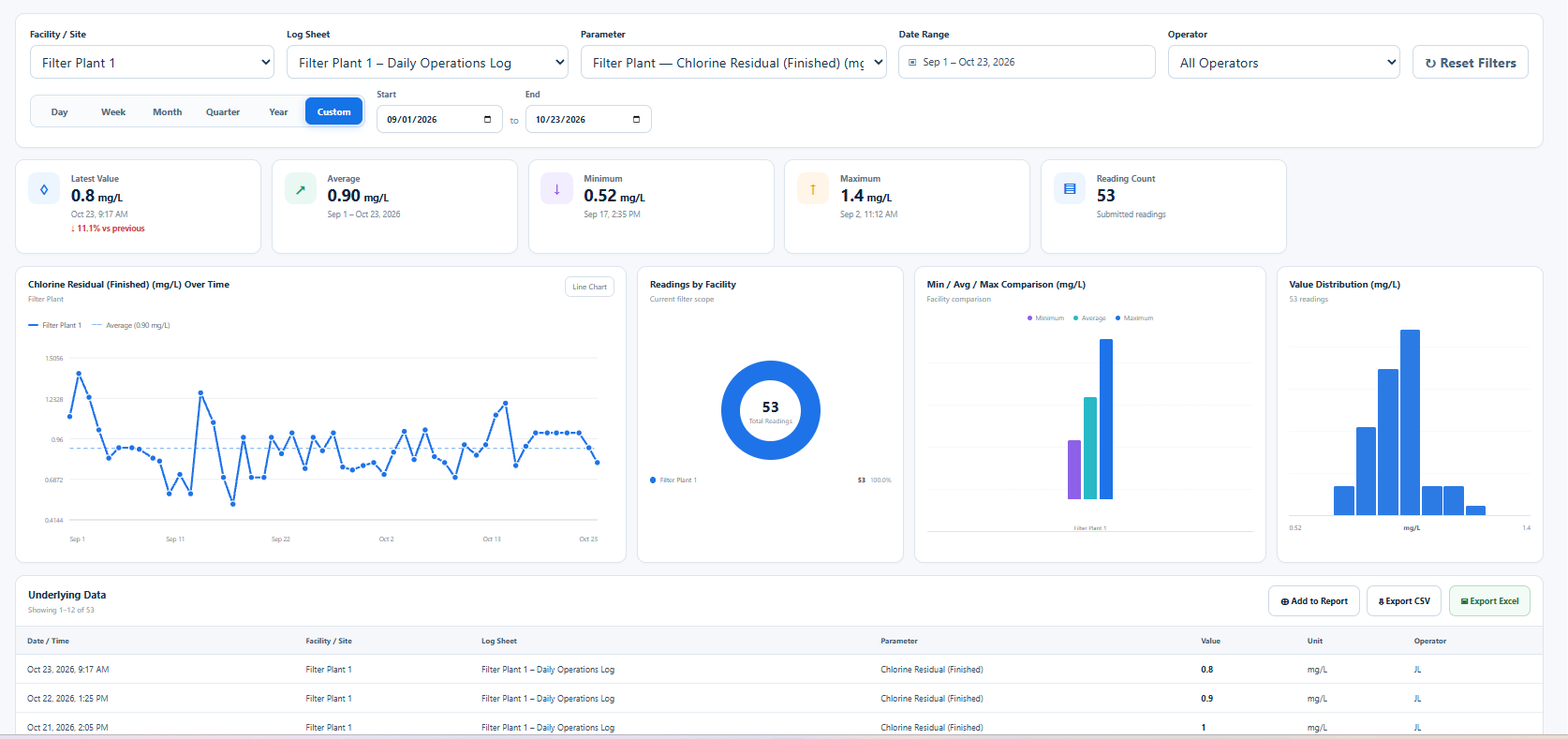
All your data, simplified.
A clearer picture.
Turn reportable operational data into organized monthly results—then export to Excel or CSV.
- Analyze reportable data
- Review monthly, quarterly, annually or custom results in one place
- Take results into your reporting workflow
No more manual gathering. More time to review what matters.
One day. Many moving parts.
One connected workflow.
- 01
Assign work
Start with today’s tasks and responsibilities.
- 02
Capture readings
Keep operational entries close to the work.
- 03
Record materials
Track the inventory used for the job.
- 04
Review results
Explore records and ask UF Copilot.
- 05
Export reports
Take monthly results to Excel or CSV.
Data integrity
is paramount.
Protect your records. Control access.
Keep a clear history.
Data security
Authenticated access helps keep operational information protected.
Multi-level permissions
Control access by role and module, with permission overrides where needed.
Data integrity
Keep operational records and correction notes connected.
Timestamped log history
See when log entries were recorded and revisit their history.
One complete package, one price
Room to grow.
Power your daily operations with Authority Package. Add specialized modules when you need them.
Add-ons priced separately.
More time for the work
your community depends on.
We’re bringing daily operations, records, and useful AI assistance together so utility teams can spend less time chasing information.
Explore UtilityForge ↑